Your timetable,
shared and live
on every screen.
Create your class schedule once. Share it with a 6-character code. Everyone gets live updates — on their home screen widget, or right here in the browser.
Make it yours — tap any cell to start your own
Set up once.
Everyone stays in sync.
No app installs required for subscribers. No repeated updates. Just a code.
Build your timetable
Use the day-by-period grid to add subjects, assign colours, mark breaks, and configure your working days. Mon–Fri, Mon–Sat, or fully custom — it's your call.
Share the 6-character code
Every timetable gets a unique short code. Drop it in the group chat once. Your classmates subscribe in seconds and the timetable lands on their phone.
Update once, everyone sees it
When the semester schedule changes, you update your timetable. Every subscriber's widget refreshes automatically — no announcements, no re-sharing.
Open it anywhere — no app needed
Every timetable is a live web page at 1timetable.app. Classmates just open the link and subscribe in the browser — and with the app, widgets put it right on their home screen.
Everything a student actually needs.
No subscriptions. No ads. No upsells.
Home & Lock Screen widgets
Four widget types — Today, Full Grid, Multi-Summary, and Live Activity with Dynamic Island support. Your current period and next class, always one glance away.
Updates push themselves
When the owner edits, every subscriber's widget refreshes automatically. No manual refresh, no re-sharing.
One code, or a link
Send the 6-character code or a direct link — subscribing is one tap. No app? Every timetable also has a web page at 1timetable.app.
Color-coded subjects
Each subject gets its own colour, with per-cell overrides when you need them. The grid is readable at a glance.
Your week, your shape
Mon–Fri, Mon–Sat, or pick exactly which days you have class. Widgets only show the days that matter.
Works offline
Local timetables and widgets keep working without a connection, then sync when you're back.
Public discovery
Make a timetable public and students at your institution can find it — no code needed.
Apple TV
Show timetables on a classroom or hostel TV. QR-based pairing makes setup effortless.
Bigger on big screens
On iPad and the web the whole week fits on one screen — no scrolling. It's the same timetable everywhere, always in sync.
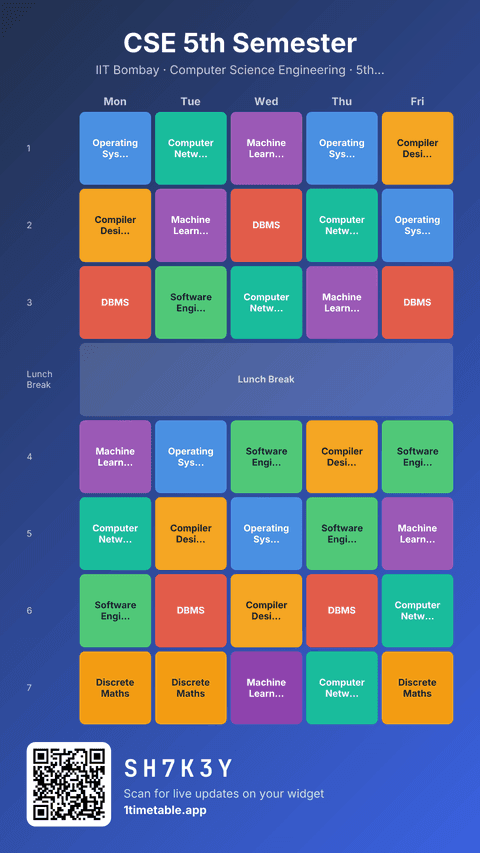
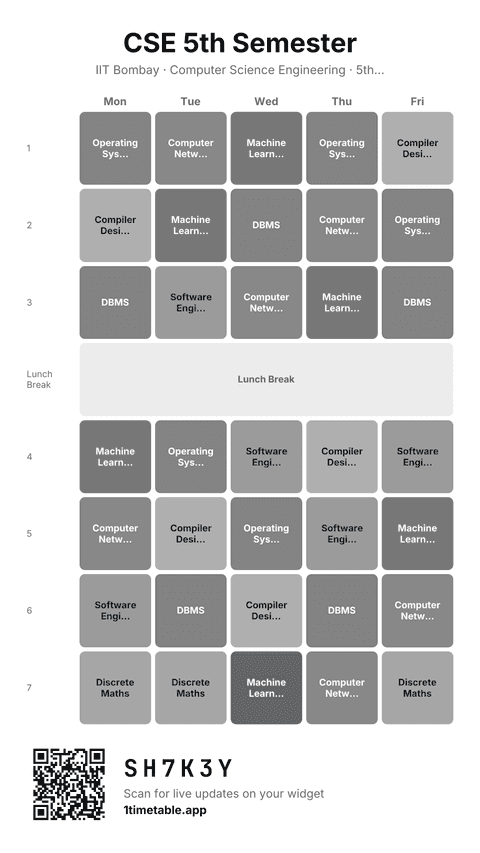
Post it, print it, make it your wallpaper.
Turn any timetable into a story-ready image — for your WhatsApp status, an Instagram story, the classroom notice board, or your lock screen.
Every card carries the share code and a scannable QR, so anyone who sees the picture can subscribe to the live version in seconds. There's even a print-friendly black & white theme for the department printer.
Your data stays yours.
No ads. No data selling. Only anonymous usage analytics to make the app better. Free because it's genuinely free.
Ready to ditch the group chat?
Build your timetable. Share the code. Done.
iOS · Android · Web — one account, every screen.